The people behind a business are often what convinces a visitor to trust it. A clean, well-designed Meet the Team page puts faces and names to your brand, which builds credibility and helps you win more clients.
The easiest way to build one is with a team member WordPress plugin. These plugins let you add photos, job titles, bios, and social links for each person, then show them in grids, sliders, or carousels with no coding needed.
In this guide, we compare the 11 best team member WordPress plugins, both free and premium, so you can pick the right one for your website.
What Is a Team Member WordPress Plugin?
A team member WordPress plugin is a tool that helps you create and display a team section on your website. Instead of hand-coding profile cards, you fill in each member’s details from your dashboard. The plugin then shows them in a ready-made layout that you can place on any page with a shortcode, block, or page builder widget.
Most team plugins let you:
- Add unlimited team members with a photo, name, job title, and bio
- Link each person to social profiles like LinkedIn, X (Twitter), and Facebook
- Display members in grid, list, slider, carousel, or isotope (filterable) layouts
- Open full profiles in a popup modal or on a single member page
- Customize colors, fonts, spacing and hover effects to match your brand
Why Add a Team Section to Your WordPress Site?
A team page isn’t just a nice extra. It also does real work for your business:
- Builds trust: Real faces make your business feel more human and believable.
- Supports E-E-A-T: Showing the experts behind your content helps your site’s credibility with readers and search engines.
- Improves conversions: Visitors are more likely to contact a business when they know who they’ll be working with.
- Helps with hiring: Candidates often check the team page to get a feel for your company culture.
How to Choose the Right Team Member Plugin
Before you install anything, keep in mind that every extra plugin adds weight to your site, so pick one that does exactly what you need. Look for:
- Responsive design: Your team section must look great on phones and tablets.
- Layout options: Grid, slider, carousel, list and filterable layouts give you flexibility.
- Page builder support: Check that it works with Gutenberg, Elementor, Divi or whatever builder you use.
- Performance: Lightweight code keeps your page speed and Core Web Vitals healthy.
- Customization: Look for color, typography and custom CSS controls.
- Active development: Check the “Last updated” date and “Tested up to” version on WordPress.org.
- Support and documentation: Good docs save hours of trial and error.
Comparison Table: Best Team Member WordPress Plugins
| Plugin | Free Version | Pro Version | Slider/Carousel | Drag & Drop Ordering | Best For |
|---|---|---|---|---|---|
| Smart Team | ✅ | ✅ | ✅ | ✅ (Pro) | Most users |
| Smart Team Pro | – | ✅ | ✅ | ✅ | Agencies & businesses |
| Team Builder | ✅ | ✅ | – | ✅ | Quick, simple builds |
| TLP Team | ✅ | ✅ | ✅ | ✅ (Pro) | Layout variety |
| AWSM Team | ✅ | ✅ | – | – | Lightweight presets |
| Team Showcase Supreme | ✅ | ✅ | ✅ | ✅ | Slider-heavy designs |
| Team (PickPlugins) | ✅ | ✅ | ✅ (Pro) | – | Custom fields |
| Team Showcase | ✅ | ✅ | – | ✅ | Beginners |
| GS Team Members | ✅ | ✅ | ✅ | – | SEO schema |
9+ Best Team Member WordPress Plugins
1. Smart Team (Free)

Smart Team is one of the most popular and beginner-friendly team member WordPress plugins. It lets you build an attractive team showcase in minutes using a visual shortcode generator, and it works with any theme or page builder. Even the free version is packed with features most plugins keep behind a paywall.
Key features:
- Fully responsive and mobile-ready layouts
- Multiple layout presets (grid, carousel, list, and more)
- 10+ carousel controls for autoplay, speed, navigation, and pagination
- Easy shortcode generator with live settings
- Works with Gutenberg, Elementor, Divi, and other page builders
- Multilingual and translation-ready
- Unlimited colors and styling options
- Cross-browser support and compatible with any theme
- Detailed documentation
Best for: Anyone who wants a powerful, free team showcase plugin that’s easy to set up.
2. Smart Team Pro (Premium)
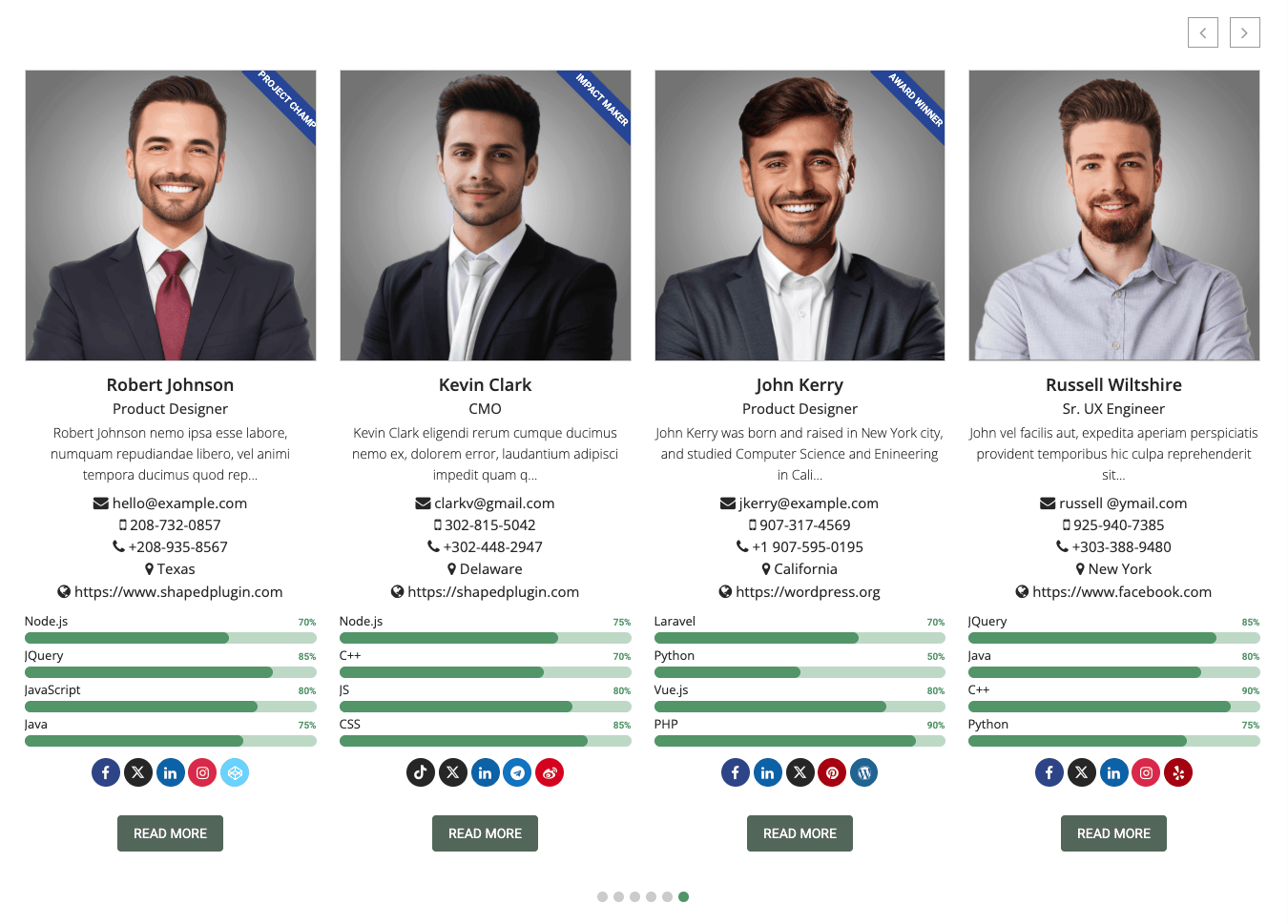
Smart Team Pro is the premium upgrade of Smart Team. It adds advanced layouts, extra member fields, and more styling options, making it a great fit for agencies, corporate sites, and businesses with large teams.
Key features:
- Dedicated custom fields for each team member
- 8 unique layouts
- 900+ Google Fonts for full typography control
- Drag-and-drop member ordering
- Shortcode generator and PHP function support for developers
- Lightweight, fast, and fully responsive
- Unlimited styling and color options
- Detailed documentation and priority support
Best for: Businesses and agencies that need advanced layouts and complete design control.
3. Team Builder

Team Builder helps you create and manage a team section with a simple drag-and-drop interface. It’s a good choice if you want to get a clean team page live quickly without digging through lots of settings.
Key features:
- Clean, responsive design
- Add unlimited team members
- Drag-and-drop member ordering
- 2 preset templates
- 4 integrated social profile links
- Cross-browser compatibility
- Detailed documentation
Best for: Small businesses that want a fast, no-fuss team section.
4. TLP Team
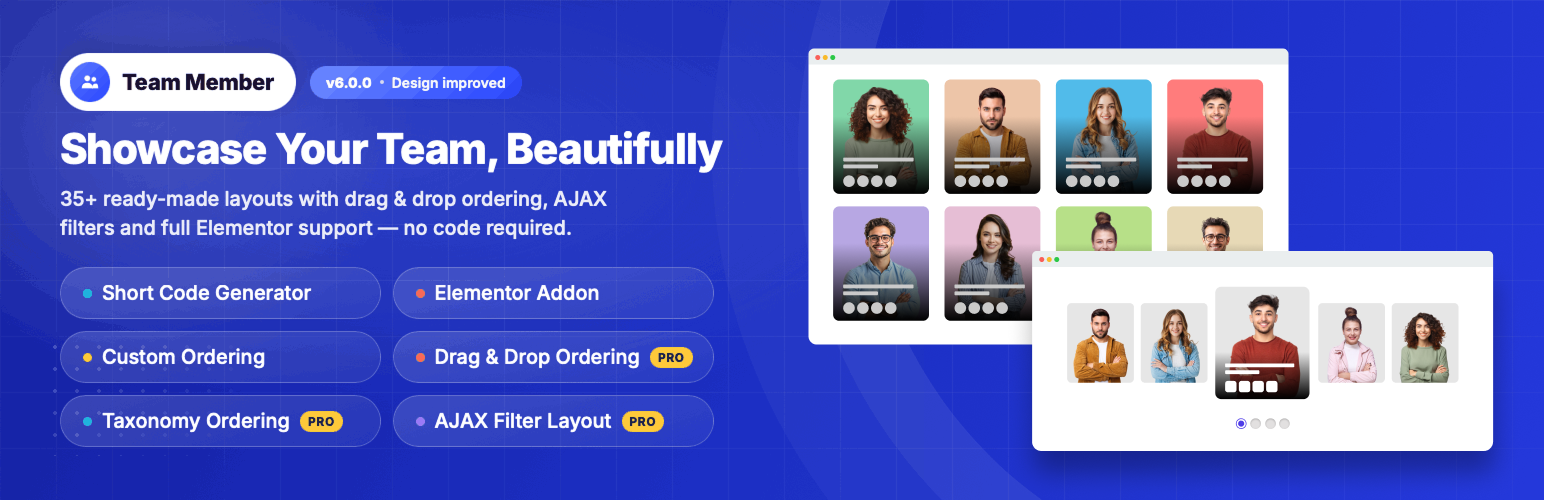
TLP Team is a responsive team showcase plugin that displays members in grid, list, slider, and isotope (filterable) styles. It’s available in free and Pro versions, with the Pro version adding a big library of extra layouts.
Key features:
- Responsive, clean design
- 6 layouts in the free version
- Rounded profile image option
- Unlimited colors
- Layout preview and shortcode generator
- Custom fields support
- 30+ extra layouts (Pro)
- Drag-and-drop ordering (Pro)
Best for: Users who want lots of layout choices to experiment with.
5. AWSM Team
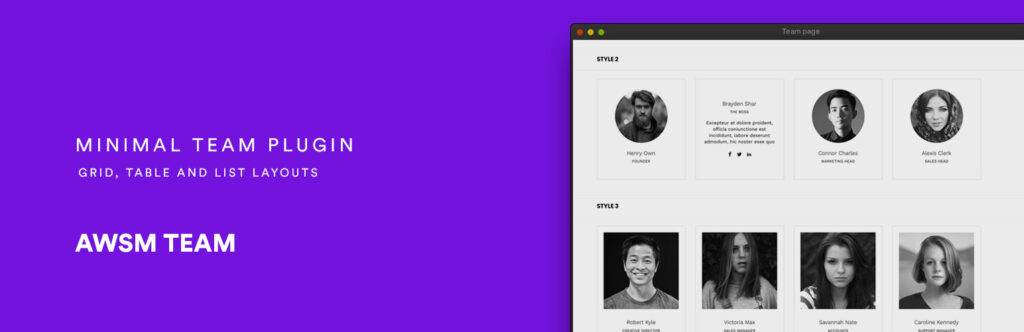
AWSM Team is a lightweight team member plugin with stylish presets that make building a team section quick and efficient. Its touch-enabled design works especially well for mobile visitors.
Key features:
- 8+ unique presets
- Responsive and touch-enabled
- Lightweight and clean code
- Multiple styling options
- Custom CSS support
- Detailed documentation
Best for: Site owners who want good-looking presets without slowing down their site.
6. Team Showcase Supreme (Team Members with Slider)
Want to show your team in a slider? Team Showcase Supreme offers a huge collection of grid and slider designs, so you can create an eye-catching team carousel in just a few clicks.
Key features:
- Display team members in grid and slider views
- 30+ layouts with 50+ designs
- Full control over name and designation font color, size, line height, hover color and family
- Drag-and-drop reordering
- Unlimited colors
- Clean, lightweight and responsive
Best for: Websites that want a stylish team member slider or carousel.
7. Team by PickPlugins
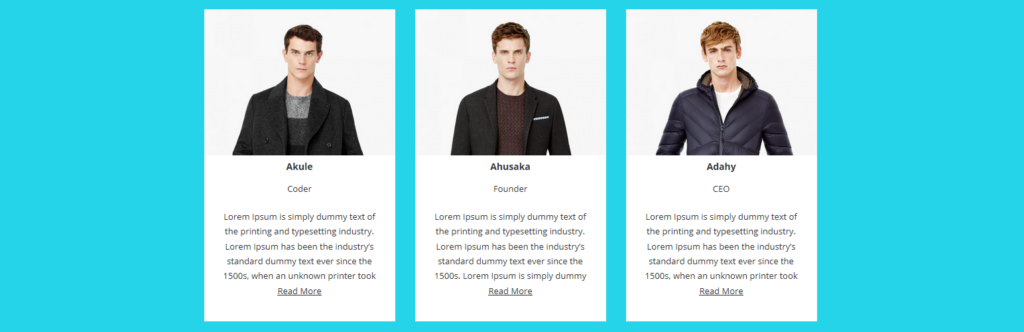
Team is a simple yet flexible plugin for showing your team with shortcodes. It supports custom fields, so you can add extra details like contact info, skills or location for each member.
Key features:
- Fully responsive and clean design
- Member image, social links, contact data and custom fields
- Multiple layouts and styling options
- Multiple view types and slider (Pro)
- Custom CSS (Pro)
- Detailed documentation
Best for: Users who need custom fields for richer member profiles.
8. Team Showcase
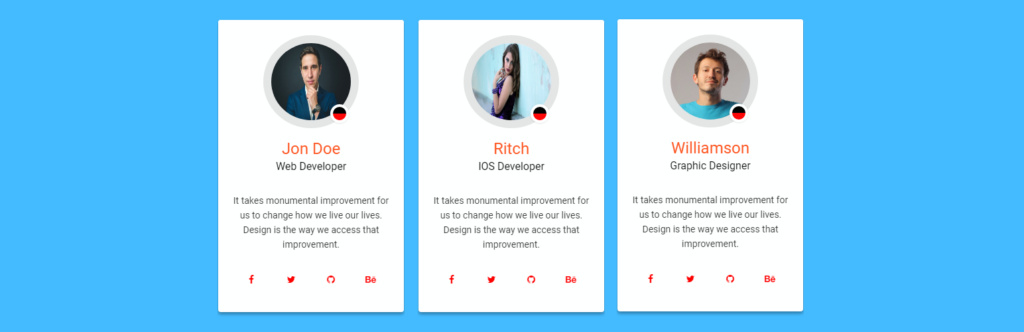
Team Showcase uses a custom post type to manage your team members, so adding and editing profiles feels just like writing a WordPress post. It also includes drag-and-drop reordering.
Key features:
- Highly responsive design
- Lightweight and clean
- No coding skills required
- Drag-and-drop team list reordering
- Full control over name and designation typography and colors
- Cross-browser support
Best for: Beginners who want a familiar, post-style way to manage team members.
9. GS Team Members

GS Team Members stands out for its built-in Schema.org markup, which helps search engines understand the people on your team page. It also comes with plenty of themes and display controls.
Key features:
- Clean, responsive layouts
- Shortcode generator with live preview
- Schema.org markup for SEO
- Developer-friendly and easy to customize
- Cross-browser support
- 20+ themes (Pro)
- Custom CSS (Pro)
- Team widget and shortcode (Pro)
Best for: SEO-focused websites that want structured data on their team page.
How to Add a Team Member Section in WordPress (Quick Steps)
Here’s how to create a Meet the Team page using Smart Team as an example:
- Go to Plugins → Add New in your WordPress dashboard.
- Search for “Smart Team”, then click Install Now and Activate.
- Go to Smart Team → Add New Member and enter each person’s photo, name, job title, bio, and social links.
- Open Smart Team → Manage Teams and create a new team showcase. Pick a layout, such as grid or carousel, and style it.
- Copy the generated shortcode, or use the Smart Team block or widget in your page builder.
- Paste it into your About or Team page and click Publish.
That’s it. Your team section is live and fully responsive.
Frequently Asked Questions
What is the best team member WordPress plugin?
For most users, Smart Team is the best choice. Its free version includes multiple layouts, carousel controls, and page builder support, and you can upgrade to Smart Team Pro for advanced layouts and custom fields.
Is there a free team member plugin for WordPress?
Yes. Smart Team, Team Builder, TLP Team, AWSM Team, GS Team Members and the other plugins on this list all have free versions on WordPress.org.
Can I show team members in a slider or carousel?
Yes. Smart Team, TLP Team, Team Showcase Supreme, and GS Team Members all support slider or carousel layouts.
Do team member plugins work with Elementor and Gutenberg?
Most do. Shortcode-based plugins like Smart Team work in any page builder. Before you install, check each plugin’s page to confirm its builder compatibility.
Will a team plugin slow down my website?
A well-coded, lightweight plugin has very little impact on speed. To keep your site fast, choose one plugin, optimize team photos (WebP format works well), and avoid stacking several team plugins at once.
Can I create individual profile pages for each team member?
Yes. Plugins like Smart Team Pro and Team by wpWax support detail pages or popup profiles, so visitors can read each member’s full bio.
Conclusion
A great team page helps visitors trust your business, and the right team member WordPress plugin makes it easy to build one.
- If you want a powerful free option, start with Smart Team.
- If you need advanced layouts and full control, go with Smart Team Pro.
- If SEO schema matters most, try GS Team Members.
Pick the plugin that fits your needs, set up your team page, and show visitors the people behind your brand.
Have you used any of these plugins? Tell us about your experience in the comments below.