A slider lets you show several images, products, or posts in the space of one, and it gets visitors’ attention fast. Whether you want a homepage hero banner, a product carousel for your store, or a video showcase, a free WordPress slider plugin can do it without writing any code.
The hard part is choosing one. Some plugins handle only images. Others can slide posts, videos, and WooCommerce products too. In this guide, we compare the 5 best free WordPress slider plugins, what each one does well, and which one fits your site.
Quick summary: our top picks
- Best all-in-one (free): WP Carousel
- Best for simple image sliders: Ultimate Responsive Image Slider
- Best for WooCommerce stores: Reno Product Slider
- Best for hero banners: Carousel Slider
- Best for 3D transition effects: Wonder Slider Lite
What Is a Slider in WordPress?
A slider is a section that shows multiple images or pieces of content one after another in the same space. The slides can change automatically, or visitors can move through them with arrows, dots or a swipe.
People often use “slider” and “carousel” to mean the same thing, but there’s a small difference:
- A slider usually shows one item at a time.
- A carousel shows several items at once and scrolls through them.
Most plugins on this list can do both.
Why Use a Slider on Your WordPress Site?
- Saves space: You can show many items in the area of one.
- Highlights key content: Put your best products, offers or posts front and center.
- Adds interactivity: Swipe, arrow and pause-on-hover controls invite visitors to engage.
- Supports conversions: A well-placed product or offer slider can guide visitors toward a purchase.
One word of caution: if you use autoplay, keep the speed slow enough for people to read each slide. Fast-moving sliders frustrate visitors and hurt accessibility.
How to Choose the Right Slider Plugin
- Content type: Do you need images only, or also posts, videos and WooCommerce products?
- Responsive design: Check that you can set how many items show on desktop, tablet and mobile.
- Page builder support: Confirm it works with Gutenberg, Elementor or whatever builder you use.
- Performance: Choose a lightweight plugin and optimize your slide images (WebP works well).
- Active development: Check the “Last updated” date and “Tested up to” version on WordPress.org.
Comparison Table: Best Free WordPress Slider Plugins
| Plugin | Image Slider | Post Slider | Video Slider | WooCommerce Products | Best For |
|---|---|---|---|---|---|
| WP Carousel | ✅ | ✅ | ✅ | ✅ | All-in-one sliders & galleries |
| Ultimate Responsive Image Slider | ✅ | – | – | – | Simple image sliders |
| Reno Product Slider | – | – | – | ✅ | WooCommerce stores |
| Carousel Slider | ✅ | ✅ | ✅ | ✅ | Hero banners |
| Wonder Slider Lite | ✅ | ✅ | ✅ | – | 3D effects & video |
5 Best Free WordPress Slider Plugins
1. WP Carousel
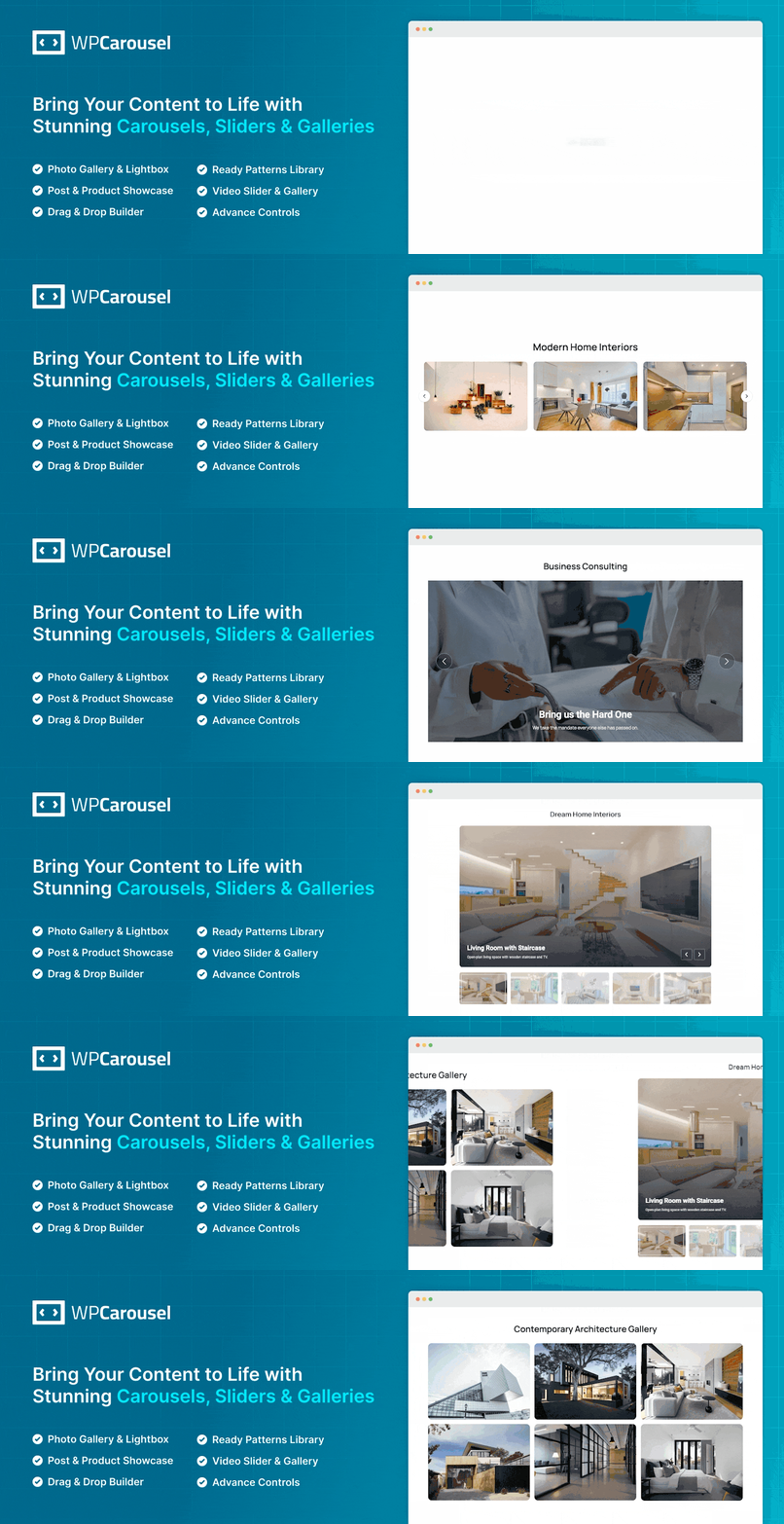
WP Carousel is a multipurpose slider, carousel, and gallery plugin. Instead of installing separate plugins for image, post, and product sliders, you can handle most of them with this one, which keeps your site lighter and easier to manage.
What you can create:
- Image carousels and sliders
- Photo galleries with a lightbox
- Video sliders
- Post carousels and post grids
- WooCommerce product carousels and grids
Key features:
- Fully responsive, mobile- and touch-friendly
- Set different numbers of visible items for different screen sizes
- Beginner-friendly settings, with no coding required
- Compatible with most WordPress themes and plugins
- Works on WordPress multisite networks
- Build a slider once and reuse it anywhere on your site
Best for: Anyone who wants one free plugin for many kinds of sliders and galleries. Some layouts and content types are Pro-only, so check the free vs Pro comparison on the plugin page.
2. Ultimate Responsive Image Slider (Ultimate Slider)
Ultimate Responsive Image Slider, now branded as Ultimate Slider, focuses on doing one thing well: responsive image sliders. You upload images in bulk, adjust a few settings, and paste a shortcode where you want the slider to appear.
Key features:
- Multiple image uploader using the Media Library
- Unlimited image slides in a single slider
- Customizable slider height and width
- Autoplay, slide thumbnails and navigation buttons
- Show image titles and descriptions
- Set an alt tag for each slide image
- Simple shortcode placement on any page or post
Best for: Bloggers and site owners who just need a clean, simple image slider.
Download Ultimate Responsive Image Slider
3. Reno Product Slider (formerly Product Slider for WooCommerce)

If you run a WooCommerce store, Reno Product Slider is built specifically for showing your products in sliders, carousels, and grid galleries. It works with WooCommerce products only, which keeps the settings focused on what store owners need.
Key features:
- Responsive and mobile-friendly
- Product slider, carousel and grid layouts
- Autoplay, stop on hover, and infinite loop
- Multiple product sliders on the same page
- Show or hide product name, price, rating, and Add to Cart button
- Control the number of product columns on different devices
- Unique settings for every slider
- Works with themes built to WordPress and WooCommerce standards
Best for: WooCommerce store owners who want to feature products, sales or new arrivals.
4. Carousel Slider
Carousel Slider is a touch-enabled plugin that supports several content types, and its hero slider option makes it a good fit for homepage banners with text and call-to-action buttons.
Key features:
- Image carousels from the media gallery or custom URLs
- Video carousels from YouTube and Vimeo
- Post carousels by category, tag or specific posts
- WooCommerce product carousels (featured, recent, sale, best-selling and more)
- Hero slider with background image, title, description and CTA buttons
- Works with Gutenberg, Elementor, Divi, SiteOrigin and Visual Composer
- Set items per device for desktop, tablet and mobile
- Loads its assets only on pages where a carousel is used
Best for: Sites that need a homepage hero banner along with other carousel types.
5. Wonder Slider Lite
Wonder Slider Lite lets you create image, video and post sliders with eye-catching 3D transitions. It supports a wide range of video sources, which makes it handy for media-heavy sites.
Key features:
- Supports images, MP4/WebM videos, YouTube, Vimeo and WordPress posts
- Fully responsive and mobile-friendly
- Full-width slider option
- 3D transition effects
- Built-in lightbox gallery
- Multiple sliders on one page
- Step-by-step, wizard-style editor
- Gutenberg block and widget support
- No watermark on the Lite version (only a limited number of skins)
Best for: Sites that want animated transitions and video slides.
How to Add a Slider in WordPress (Quick Steps)
Here’s the general process, using WP Carousel as an example:
- Go to Plugins → Add New Plugin in your WordPress dashboard.
- Search for “WP Carousel”, then click Install Now and Activate.
- Open the WP Carousel menu and create a new carousel.
- Choose your content type (such as images or posts), add your slides, and adjust the layout and navigation settings.
- Copy the generated shortcode, or add the plugin’s block in the editor.
- Paste it into your page or post and click Publish.
Frequently Asked Questions
What is the best free WordPress slider plugin?
For most sites, WP Carousel is a strong choice because one free plugin handles image, video, post and WooCommerce product sliders. If you only need a simple image slider, Ultimate Responsive Image Slider is easier to set up.
What’s the difference between a slider and a carousel?
A slider usually shows one item at a time, while a carousel shows several items at once and scrolls through them.
Can I create a WooCommerce product slider for free?
Yes. Reno Product Slider is built for WooCommerce products, and WP Carousel and Carousel Slider also include product carousels.
Will a slider slow down my website?
A lightweight plugin has little impact, but large images can. Compress your slide images, use WebP where possible, and avoid stacking several slider plugins on one site.
Do these plugins work with Elementor and Gutenberg?
Most do. Shortcode-based sliders work in any builder, and several of these plugins also offer a Gutenberg block. Check each plugin’s page to confirm compatibility with your builder.
Conclusion
All five plugins can help you build attractive sliders without code. The right one depends on what you want to show:
- For many kinds of sliders and galleries in one plugin, choose WP Carousel.
- For WooCommerce products, go with Reno Product Slider.
- For a simple image slider, try Ultimate Responsive Image Slider.
Have you used any of these slider plugins? Share your experience in the comments below.